The access of this website is not granted to underage users
In order to enter this site, please certify that you are of legal age to access a shop selling age restricted products
SORRY, you don't have legal age to access to our website

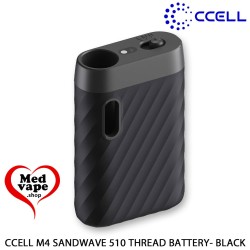
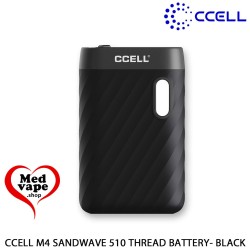

New to 510 batteries? The Sandwave 510 battery is a simple start: drop in a cartridge, pick one of three voltage presets and draw, with no buttons to learn.
Lots of people ask us where to begin with 510 hardware. Our answer is often the Sandwave 510 battery from CCELL. It is small, it has no buttons, and it holds the cartridge with a magnet. So there is very little that can go wrong on day one.
It is a palm-size battery with a matte, ribbed black shell. The size is 60 × 38.2 × 16.2 mm, about the size of a small pebble. Inside sits a 400 mAh lithium-ion cell. Also on board are an LED and a side switch, and that is all you need to know about.
The three voltage presets are 2.8 V, 3.2 V and 3.6 V. A simple plan is to start at the lowest step and then move up if you like. You can change it any time with the switch, and nothing else needs setting up.
When the LED shows low battery, take the cartridge out first. Then plug in the USB-C cable that comes with it. After about 90 minutes it is full. Safety circuits protect it against over-charge and short circuit, so you can charge without worry.
Which cartridge should a beginner pick? Any standard 510 cartridge fits the Sandwave 510 battery with the ring. CCELL names TH2, M6T and TH205-RYS as the best matches, so those are a safe first choice.
What else can I look at? If you would rather have a pen, the CCELL M4 510 battery is a good next step. You can also browse all devices in Dry Herb Vaporizer. Curious how a vaporizer works in general? Wikipedia explains the basics well.

New to 510 batteries? The Sandwave 510 battery is a simple start: drop in a cartridge, pick one of three voltage presets and draw, with no buttons to learn.